Capture ChatGPT search fan-outs and sources
Capture, analyze and export every SearchGPT conversation: query fan-outs, cited sources, products, entities, and how ChatGPT searches behind its answer.
Powered by RESONEOVersion 5.1 · July 2026
From the retrieval net to the citation: measuring a URL's journey, not just listing it
Until now the plugin listed what ChatGPT displayed. It now measures what happens in between: how many URLs the turn retrieved, how many were promoted to the top section, how many end up as a citation pill. This release also folds in what we learned from our study across 683 conversations — notably that the result_source field vanished from the stream between 20 and 22 July, forcing the pipeline to be inferred rather than read.
Listed → promoted → cited funnel
Three levels measured per conversation: every URL in the side panel, those promoted to the top section — separating the lead source from secondary ones — and those that become the lead source of a citation pill. An aggregate pyramid applies the same reading across all filtered conversations, with a result-nature selector and the promotion rate within each nature. Carousels are counted separately.
Why a URL has no snippet
A URL with no snippet is no longer an empty cell: the plugin gives the reason. Opened page, no index snippet for pages the model read itself, this pipeline serves no snippet for the scientific and video channels, rarely for forums, served empty for the rest. The Total lines: read header is no longer miscounted as a snippet.
Result nature and labrador badge
Eleven named, colour-coded natures replace the raw ref_type: web search, news, scientific, forum, video, local, product, image, weather, opened page, no type. And since result_source is gone from the stream, a 🐕 badge flags results attributed to labrador, OpenAI's own index, with the format signals behind that call shown on hover.
Pages opened by the model
A dedicated block for the pages the model actually opened and read, detected from the read marker and view references, deduplicated by URL. Not to be confused with links merely displayed: these are the only pages whose full content reached the model.
Unambiguously named surfaces
Every link now carries its display surface: citations (sidebar top), More panel, footnote strip, widgets, opened page, residual. Supporting websites, which account for over a third of citations, are counted as such rather than dropped.
Reconstruction reliability
ChatGPT's content blocks are not sent in one piece: their type is set by successive patch operations in the stream. The plugin now replays those operations path by path, which surfaces widgets that previously escaped detection. Surfaces are cross-referenced by normalized URL, never by reference coordinate — numbering spaces differ between surfaces and would pair unrelated URLs.
Version 3.4 · June 2026
Three new sourcing signals captured from ChatGPT's search conversations
Following the research by Suganthan Mohanadasan, we extended the plugin to capture three new signals from ChatGPT's search conversations. We also fixed a few bugs along the way.
Turn use case
We now surface the server-side turn_use_case field, which reveals the intent category ChatGPT assigns to each turn (e.g. shopping). It tells you how the model framed the request before answering, a useful signal for spotting when a query triggers commercial vs. informational behavior.
Reference types
A breakdown of the inline citation markers embedded in the response (e.g. product (9), search (3), news (1)). Parsed directly from the answer's reference tokens, it shows the mix of source types ChatGPT actually cited (products, web search results, news, images, and so on) and in what proportion.
Sourcing pipelines
Each cited web result carries a result_source field identifying the data provider that fetched it: Bright Data, Oxylabs, Licensed (Labrador), or SERP. We aggregate these per conversation (e.g. oxylabs (10), bright (6)) and chart them in the Dashboard, so you can see which sourcing infrastructure is behind the citations your content competes against.
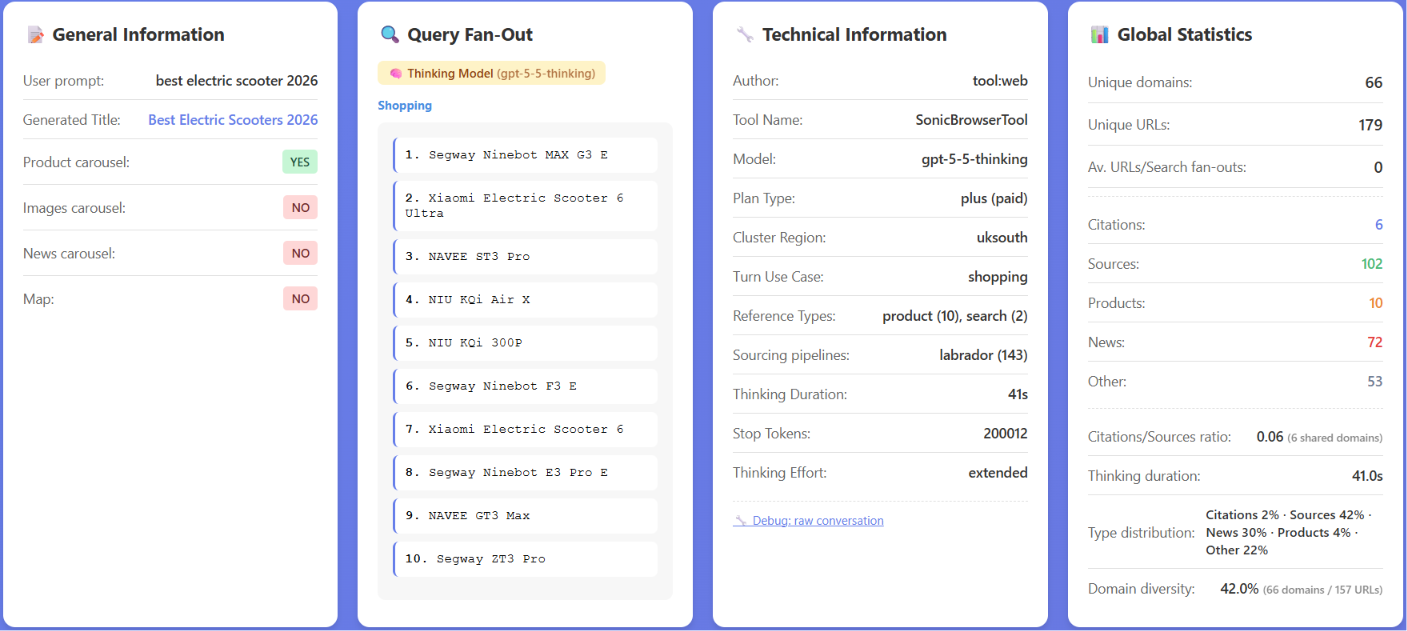
Turn use case, reference types, and the sourcing pipelines (Bright Data, Oxylabs, Licensed, SERP) behind every cited result.
Version 3.3 · March 2026
GPT-5.3 / GPT-5.4 support, Thinking & Extended Thinking capture, Map Carousel
This release brings full support for the GPT-5.3 model, which no longer shows fan-out search queries but still leverages image and shopping fan-outs, and GPT-5.4 thinking & extended thinking. The analyzer now correctly handles this new behavior and adjusts statistics accordingly.
- Map Carousel block - a new block recovers and displays map/local results returned by ChatGPT's browsing engine.
- Chain-of-Thought & Thinking Summaries - significantly improved detection, with better extraction of reasoning steps, summaries, and thought content.
- Entity identification - refined: generic placeholders are now filtered out, and entity types (products, places, organizations...) are more accurately classified.
- Technical Information panel - now reports all turn reference types (search, cite, product, forecast...) with counts.
- Top URLs table - includes a new Ref column showing each link's role in the search result groups.
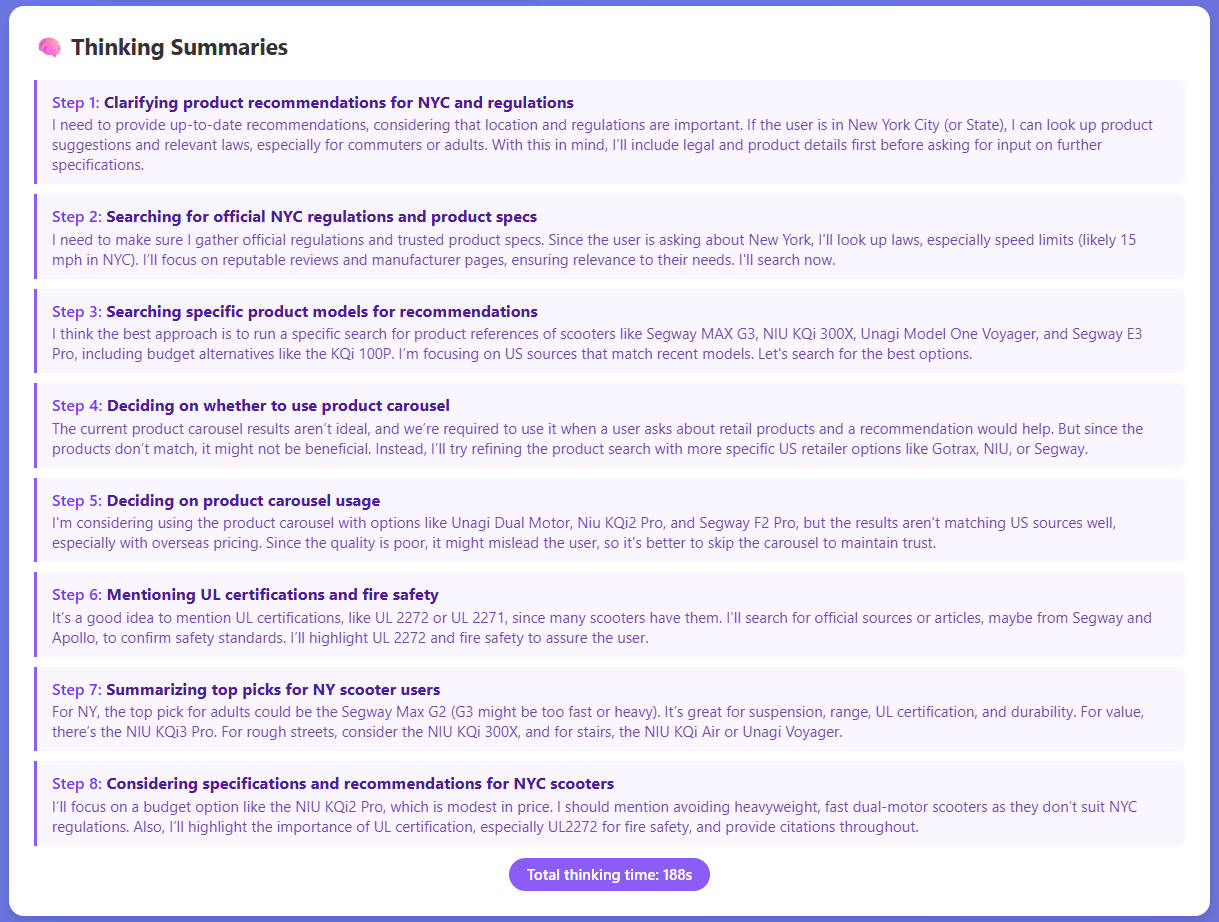
Capture of Thinking & Extended Thinking: reasoning steps and summaries are recovered (up to 8 steps in Extended Thinking).
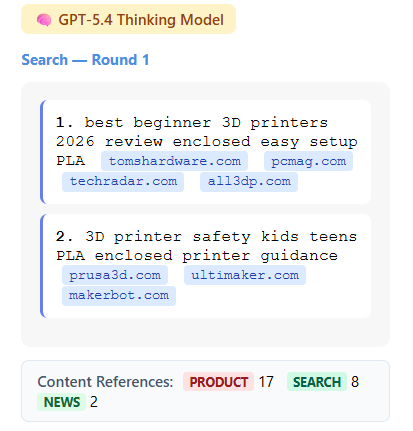
Domain filtering surfaced from the model's reasoning, illustrating the source selection visible in Thinking Summaries.
Version 3 Changelog · December 2025
Automatic loader, mentions monitoring & Map carousel detection
- Prompt Loader - automate bulk prompt submissions to ChatGPT and capture all responses automatically for batch analysis.
- Brand & Competitor Mentions Tracking - monitor your brand and competitors. Configurable aliases, mention counts, and contextual passages.
- Top Brand Mentions table - aggregated brand visibility with clickable conversation links.
- Map Carousel Detection - capture location-based results with names, addresses, ratings, and coordinates.
- Title and Snippet detection for source links.
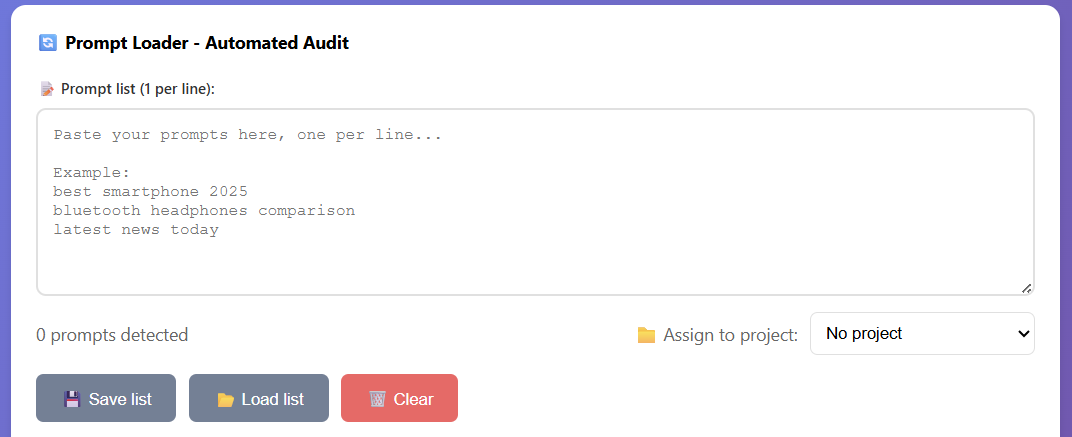
Queue multiple prompts, auto-submit them to ChatGPT one by one, and automatically capture all responses.
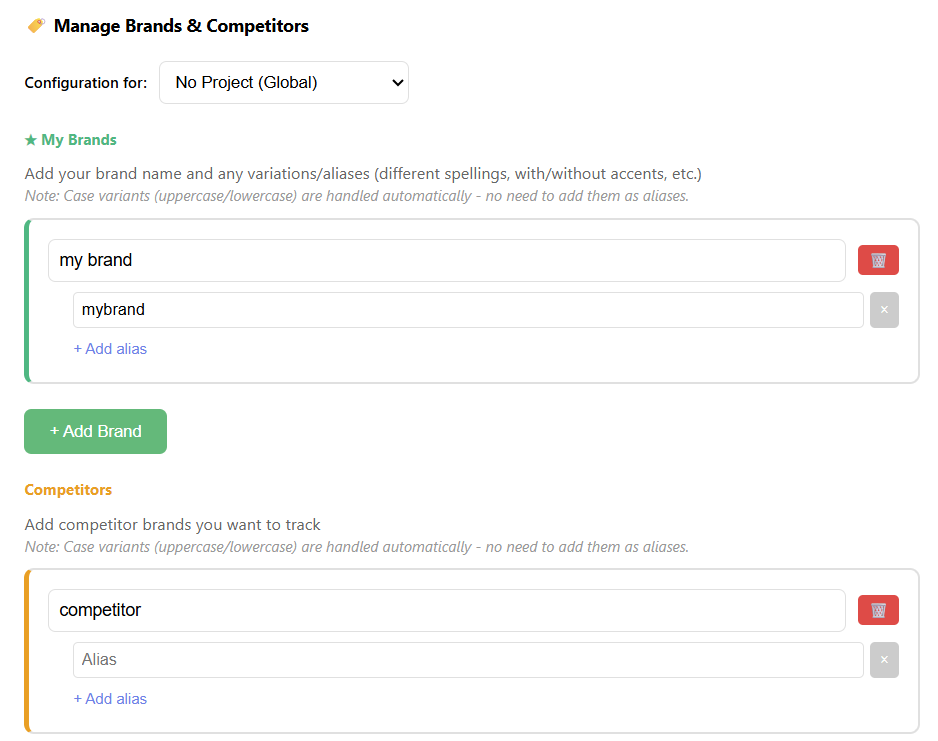
Monitor your brands & competitors (and their alias).
Version 2 · October 2025
Major updates and new features
Advanced fan-out detection
Differentiation between Search (traditional), Shopping (shorter queries using SearchApi.io to scrape Google Shopping), and Images fan-outs (more numerous, likely using Bing or a proprietary index).
Entity recognition (NER)
Detection of entities flagged by ChatGPT (news-related) and product_entity extraction from shopping carousels, likely corresponding to products anchored in the Google Shopping Graph.
Project management system
Group conversations by themes (brand/non-brand, client, topic...). Filter the global dashboard by project for targeted analysis.
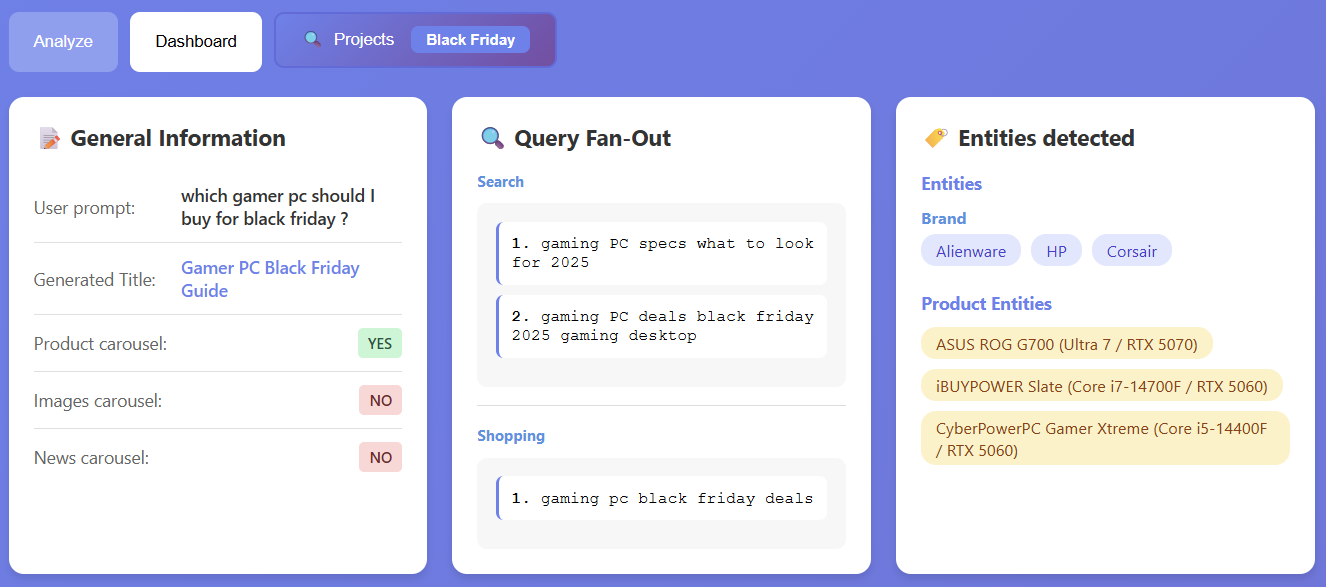
Entity recognition, product entities detection, fan-out types differentiation + projects filter.
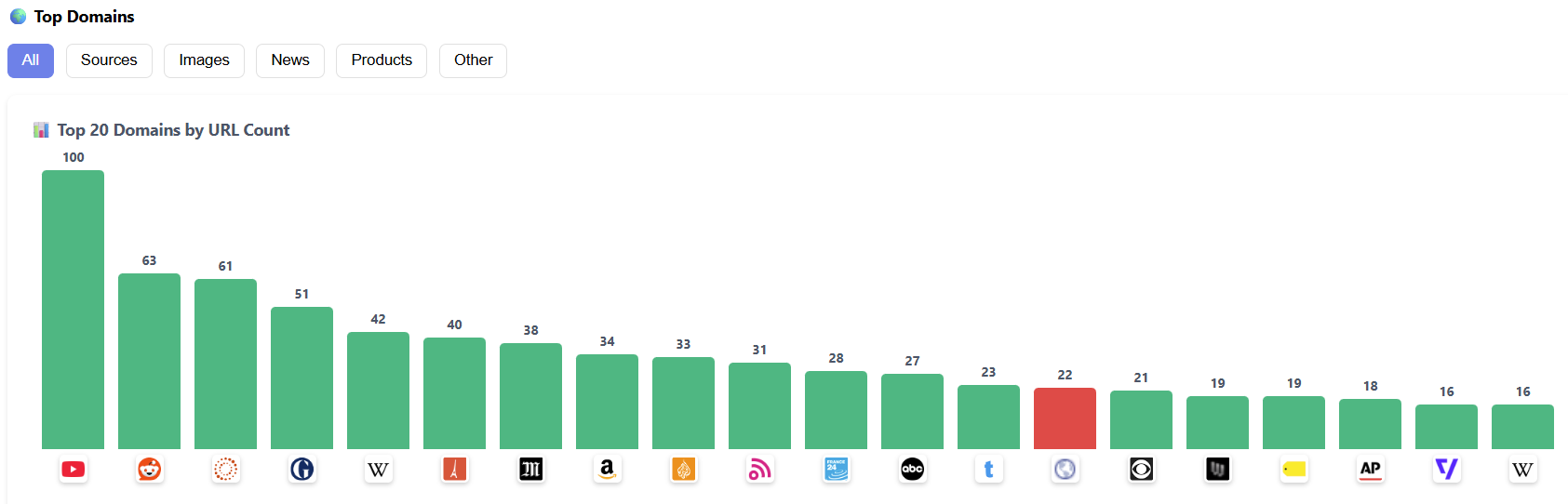
Top domains analysis with visual graph.
Dashboard screenshots
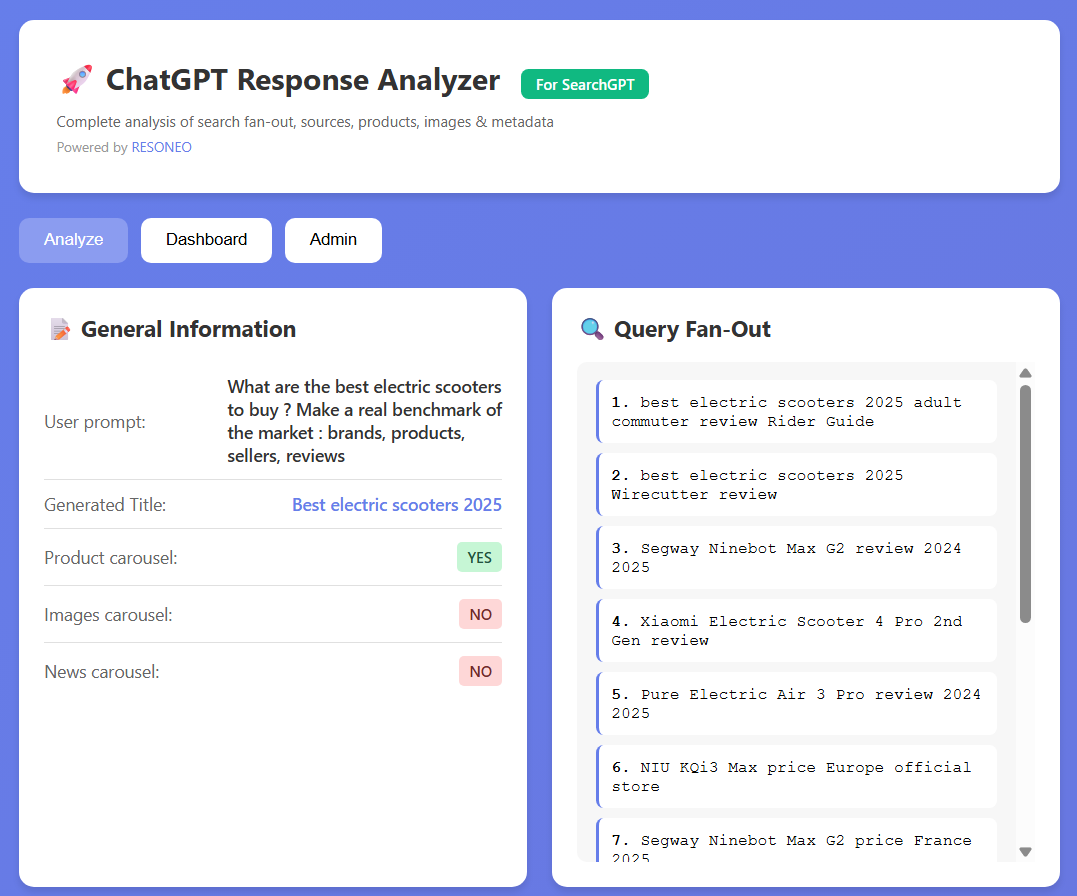
Query fan-outs & general analysis
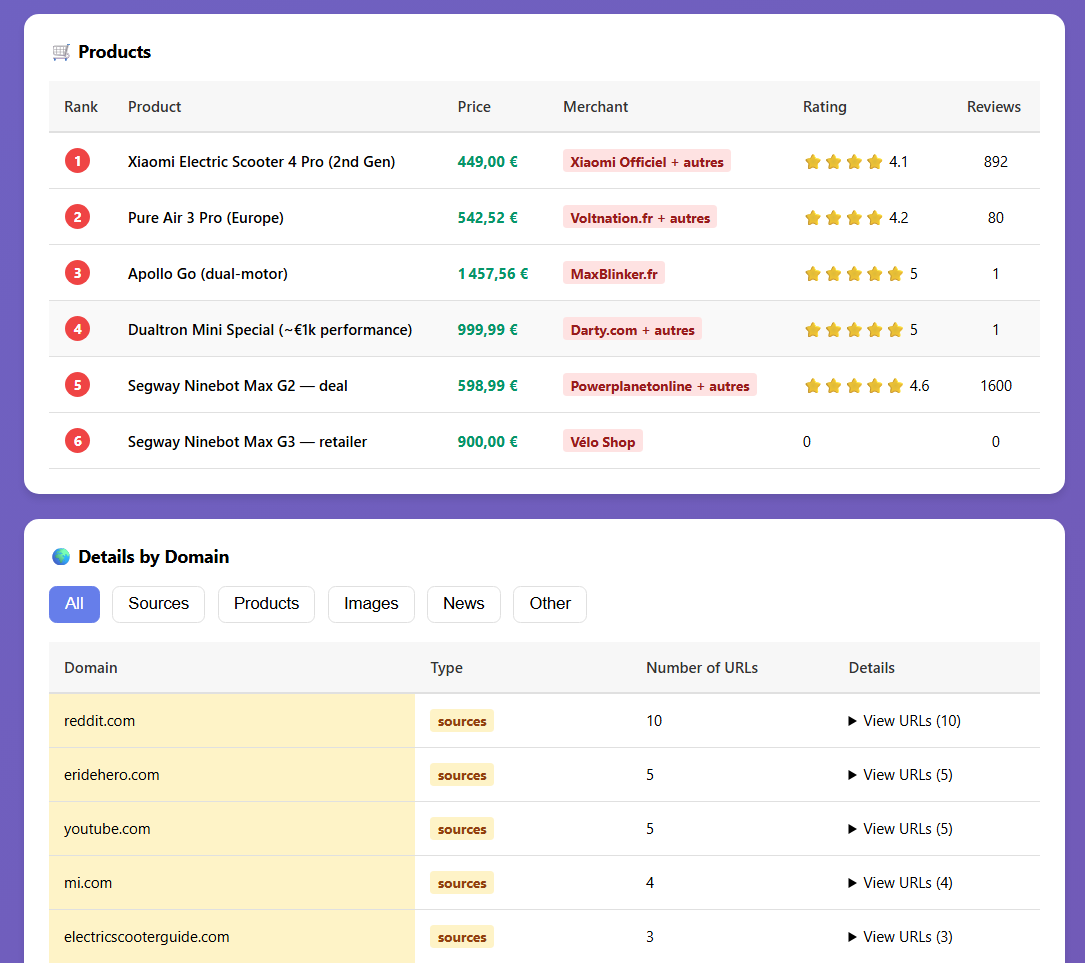
Product details with prices & reviews
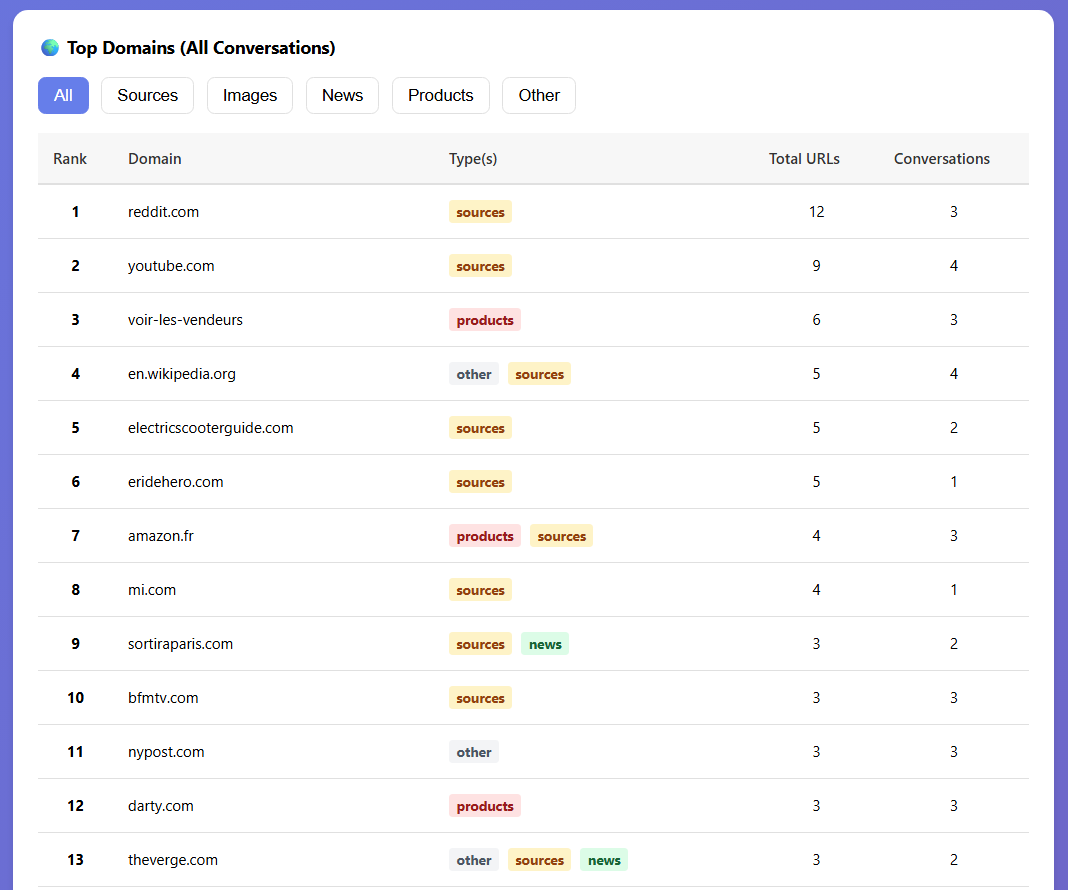
Top domains & source citations
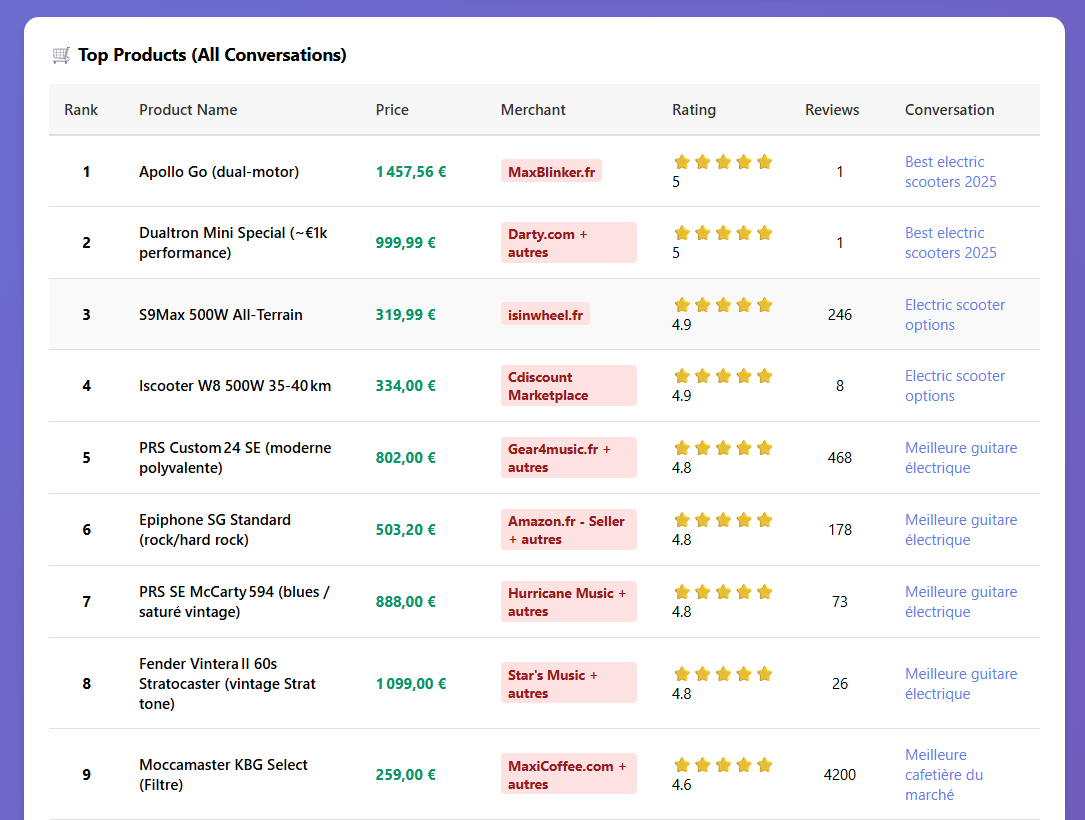
Cross-conversation product analytics
